Threat Hunting

Needle in the haystack. Found

Quickly identify anomalous behavior and catch targeted threats

Overview

Effective threat hunting isn't just about finding more data, it’s about finding the right data. GreyNoise empowers your hunt team to adopt the PEAK Framework by correlating your internal traffic against our real-time map of internet-wide mass scanning.

By using GreyNoise to filter out opportunistic probes, benign scanners, and botnet noise, you reveal the statistically significant anomalies that represent targeted attacks. Stop chasing false positives and focus on the signals that actually threaten your perimeter.
How GreyNoise
Helps You Hunt Smarter

Focus effort on highest risks

Eliminate time-consuming research of benign and opportunistic scanning, allowing hunters to focus on infrastructure actually used by threat actors.

Supports threat research and hypothesis development

Hunters can use GreyNoise to conduct threat research, validate assumptions, and explore attack vectors in order to develop hypotheses.

Correlate isolated incidents

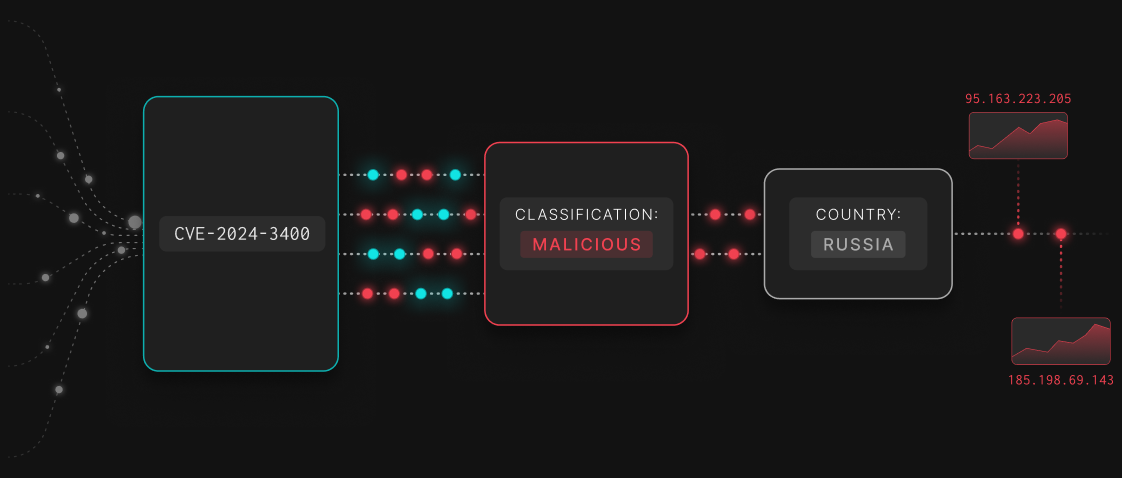
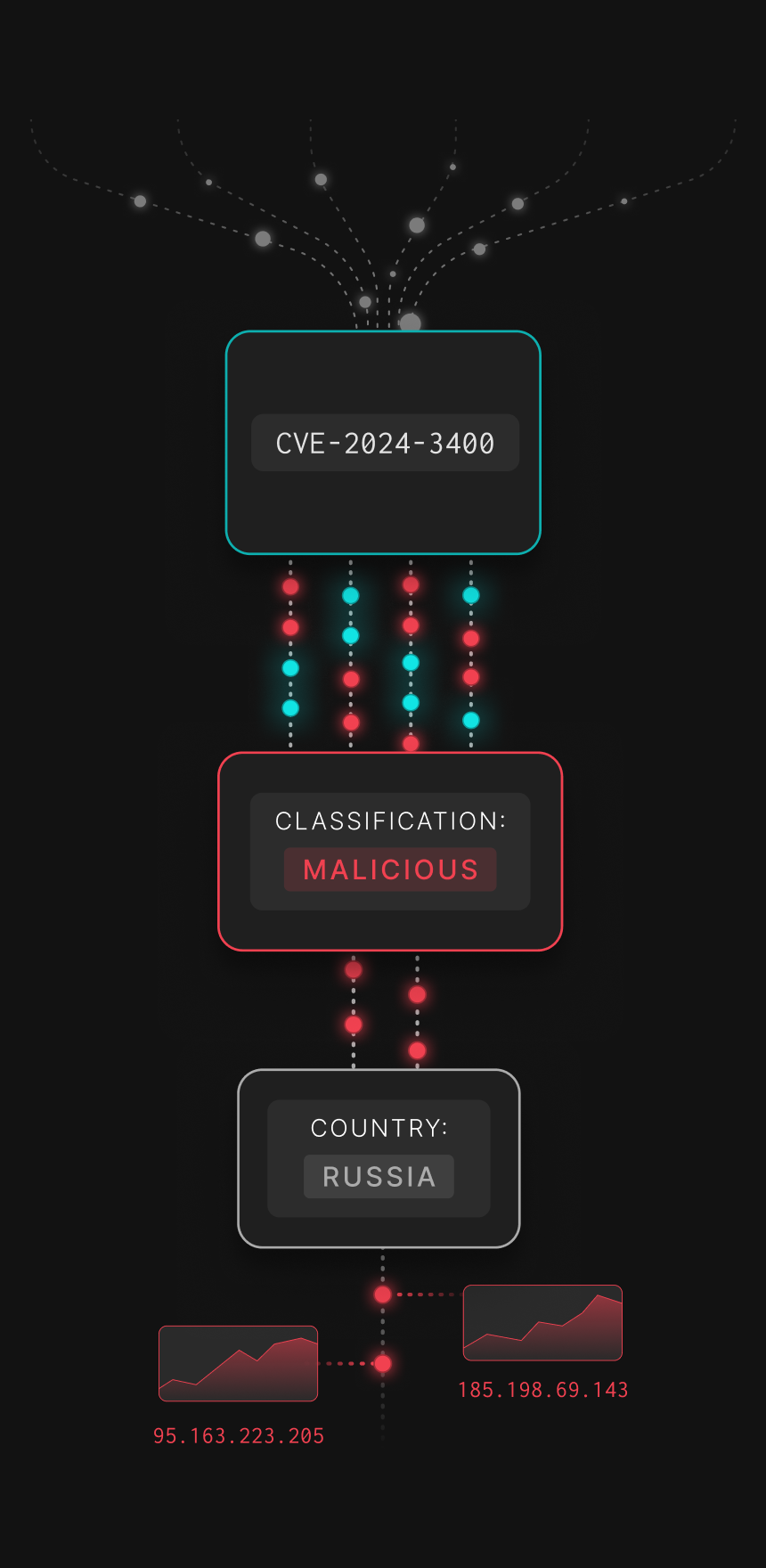
GreyNoise helps threat hunters link isolated incidents to larger campaigns by mapping attacker infrastructure and patterns, connecting logged IPs to those exploiting relevant vulnerabilities.

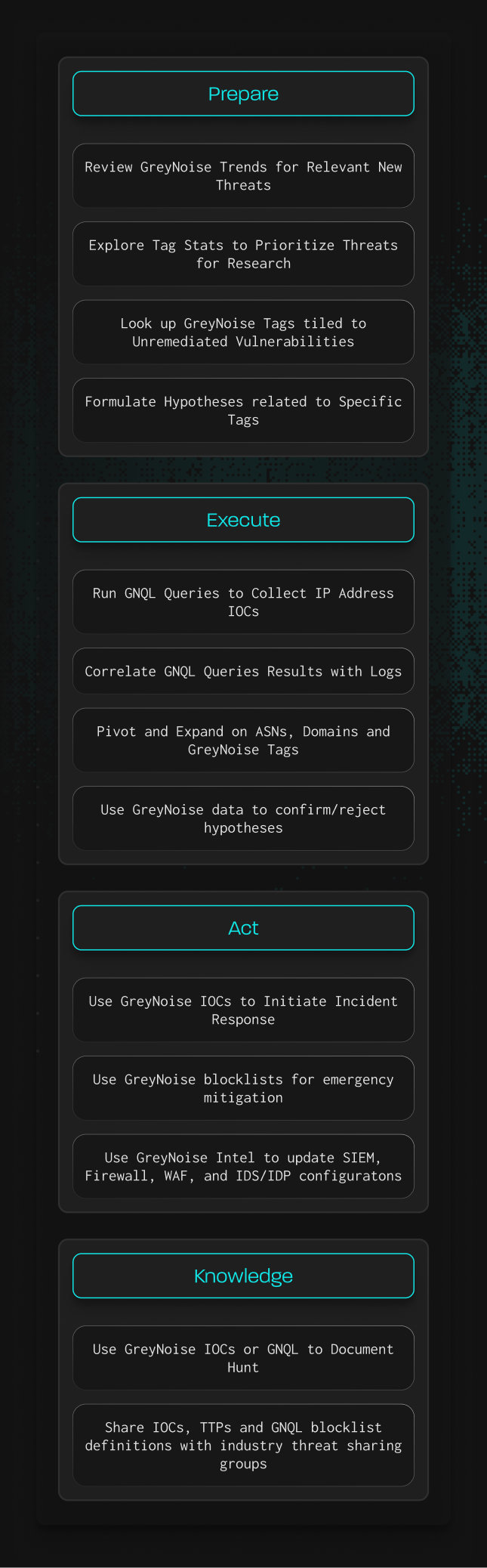
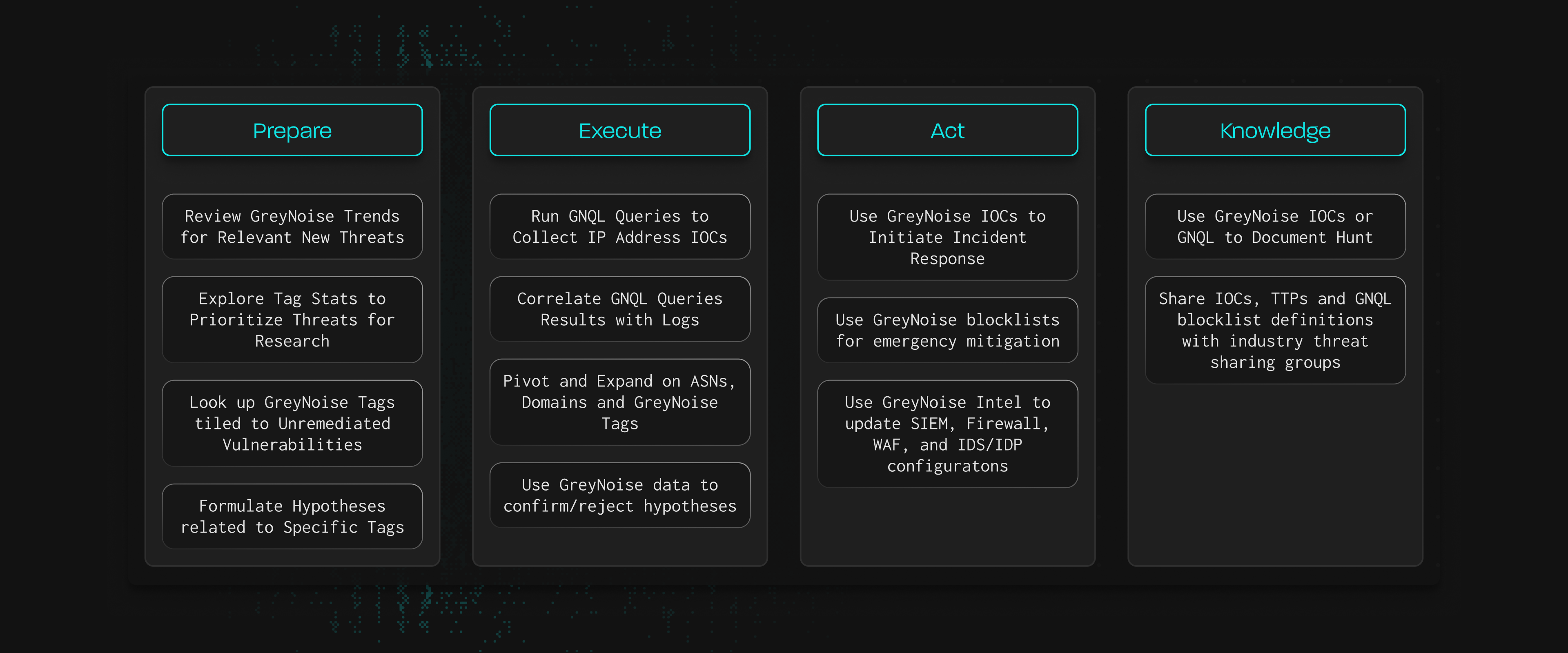
How GreyNoise Maps to the PEAK Hunting Framework
Explore Available Fields

Filter by category & search available IP fields and their uses with GreyNoise.
Categories
Thank you! Your submission has been received!
Oops! Something went wrong while submitting the form.
NAME
Description & Use
ASN
Autonomous System Number routing the IP. Helps group malicious infrastructure.
IP Address Metadata
ASN Count
Count of IPs grouped by ASN. Supports ASN-level threat analysis.
Stats & Aggregates
Actor
Known or attributed owner/operator of the IP (e.g., research org, ISP, hosting provider). Useful for attribution.
Identity & Ownership
Actor Count
Aggregated count of IPs per actor. Supports statistical analysis of actors.
Stats & Aggregates
Bot
Flags whether the IP is part of known botnet activity. Helps detect automated scanning or malware distribution.
Classification
CVE
List of CVEs the IP has scanned for or attempted to exploit. Critical for vulnerability triage.
Vulnerability Intelligence
CVEs
CVEs tied to the tag behavior. Critical for identifying exploitation of known vulnerabilities.
Tag Information
Category
High-level network type (e.g., hosting, ISP, enterprise).
IP Address Metadata
Category Count
Aggregated count of IPs per category (hosting, ISP, etc.). Highlights infrastructure trends.
Stats & Aggregates
City
Registered city of the IP. Useful for geolocation context and pivoting.
IP Address Metadata
Classification
GreyNoise’s judgment of the IP’s intent: benign, malicious, suspicious, or unknown. Most useful filter for triage.
Classification
Classification Count
Aggregated count of IPs per classification. Useful for threat landscape analysis.
Stats & Aggregates
Created At
Date the tag was first added. Indicates when this behavior was first observed.
Tag Information
Description
Human-readable explanation of what the tag represents. Adds analyst context.
Tag Information
Destination ASNs
List of ASNs targeted by the IP. Helps show which networks are being scanned.
Sensor Metadata
Destination Cities
List of cities where scanning traffic was observed. Useful for geo-targeting analysis.
Sensor Metadata
Timeline First Known Published Date
Date when the first exploit associated with the CVE was published.
Timeline & Lifecycle
Tor
Identifies if the IP is a Tor exit node. Tor traffic often indicates obfuscation or anonymization.
IP Address Metadata
Updated At
Date/time when the tag was last updated.
Tag Information
VPN
Flags if the IP belongs to a VPN provider. Suggests identity masking or evasive behavior.
IP Address Metadata
VPN Service
Name of the VPN service associated with the IP. Useful for attribution and filtering.
IP Address Metadata

Find your needle.