Compromised Asset Detection

Detect Active Compromise on Your Network Edge

Gain visibility into compromised devices by analyzing inbound scanning activity and outbound communication with attacker-controlled infrastructure

Overview

Threat actors target edge devices like firewalls, VPNs, and routers to build botnets, stage malware, and maintain command-and-control. Once compromised, these devices either scan for new targets or quietly call back to attacker infrastructure. Today's threat actors use botnets to scan for vulnerable systems and launch mass, automated attacks. To do this, compromising edge systems are critical to their operations.

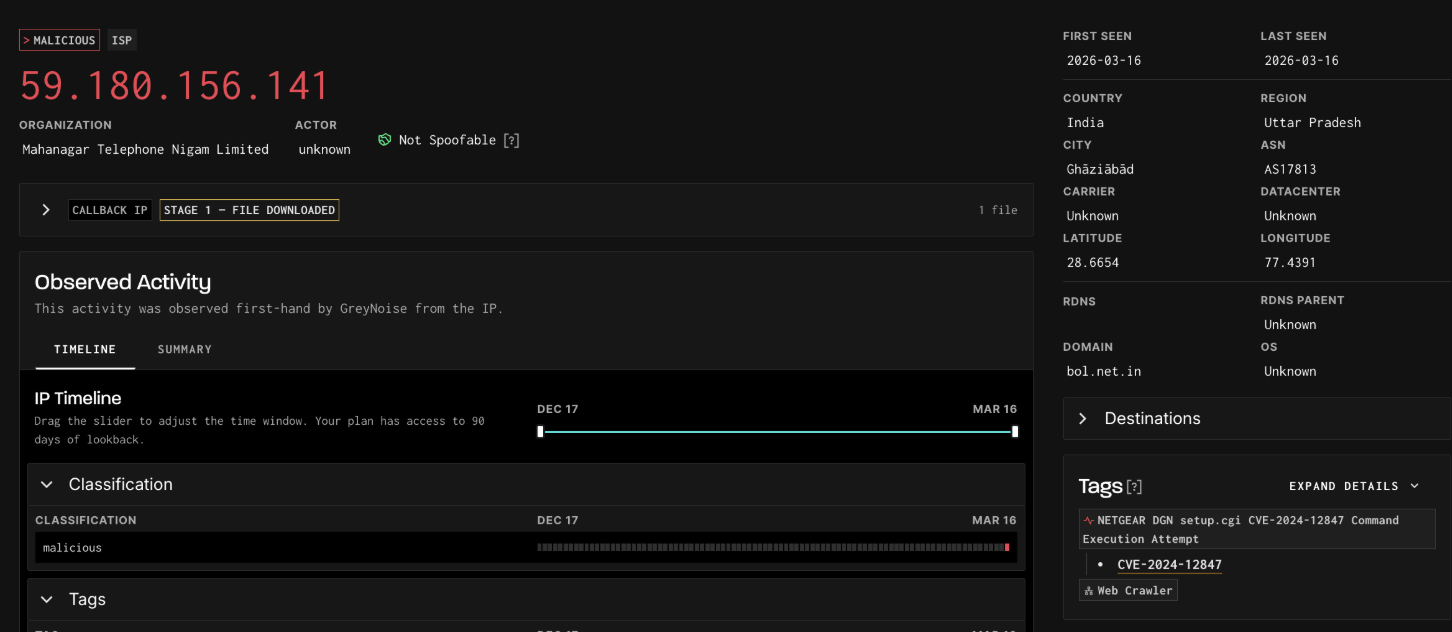
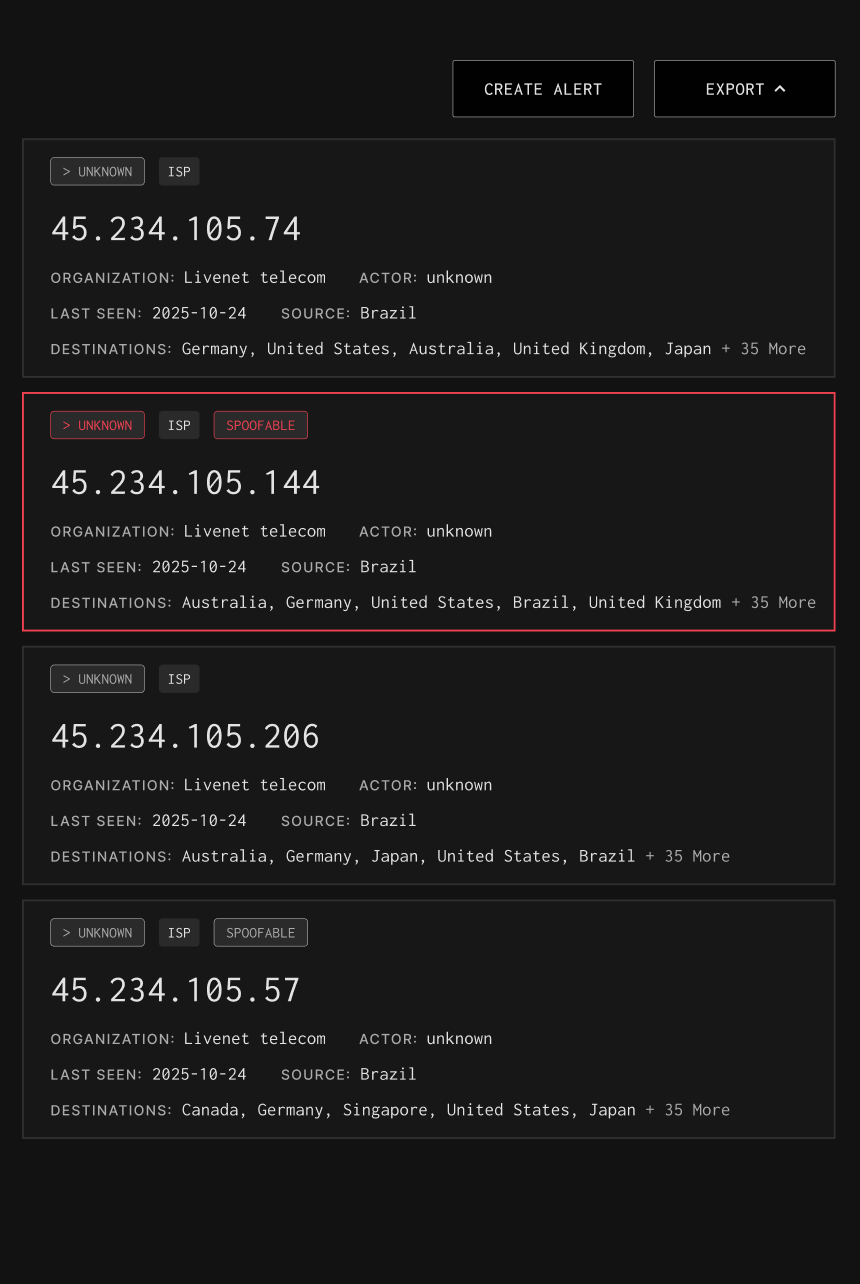
GreyNoise helps you spot compromised edge hosts fast using two independent signals. If your IP shows up as a scanner in GreyNoise, it’s likely been pulled into a botnet. If your outbound traffic matches a confirmed callback IP, it’s calling home to an attacker. Both are high-confidence indicators of compromise, even where EDR doesn’t exist. Compromised devices often behave like attacker infrastructure, making it likely that a compromised device will probe the GreyNoise sensor network or interact with a known malicious IP.
How GreyNoise Helps You
Find Your Compromised Assets

Identify Abnormal Outbound Traffic

GreyNoise matches your outbound traffic against confirmed malicious and callback infrastructure derived from real exploit activity. A hit is a high-confidence signal that a device is calling out to attacker-controlled systems.

Faster Containment

Early visibility into compromised assets, from both scanning behavior and outbound callbacks helps teams isolate hosts and respond before damage spreads.

Strengthen Incident Investigations

Combine scanner IPs, callback infrastructure, and malware hashes to investigate suspicious activity across both inbound and outbound signals.

Block Malicious Outbound Connections

GreyNoise provides query-based, dynamic blocklists that prevent devices on your network from communicating with both known malicious scanner IPs and confirmed C2 infrastructure.

Explore Available Fields

Filter by category & search available IP fields and their uses with GreyNoise.
Categories
Thank you! Your submission has been received!
Oops! Something went wrong while submitting the form.
NAME
Description & Use
Bot
Flags whether the IP is part of known botnet activity. Helps detect automated scanning or malware distribution.
Classification
Last Seen
Last date the IP was observed by GreyNoise sensors. Indicates recency of activity.
Activity Timeline
Actor
Known or attributed owner/operator of the IP (e.g., research org, ISP, hosting provider). Useful for attribution.
Identity & Ownership
ASN
Autonomous System Number routing the IP. Helps group malicious infrastructure.
IP Address Metadata
Last Seen Timestamp
Exact date and time the IP was last observed. Enables timeline reconstruction in investigations.
Activity Timeline
IP
The observed IP address itself. Primary entity to investigate or correlate across alerts.
Identity & Ownership
Classification
GreyNoise’s judgment of the IP’s intent: benign, malicious, suspicious, or unknown. Most useful filter for triage.
Classification
Spoofable
Shows whether the IP completed a valid TCP handshake. If false, traffic may be spoofed or fake.
Classification
Source Country
Country where the IP is registered. Provides attacker infrastructure location context.
IP Address Metadata
Tor
Identifies if the IP is a Tor exit node. Tor traffic often indicates obfuscation or anonymization.
IP Address Metadata
Destination Countries
Countries where GreyNoise sensors saw this IP scanning. Indicates target geography.
IP Address Metadata
Region
State/province where the IP is registered. Adds sub-country geolocation context.
IP Address Metadata
City
Registered city of the IP. Useful for geolocation context and pivoting.
IP Address Metadata
Organization
Organization responsible for the IP. Adds enrichment for attribution.
IP Address Metadata
Destination Country Codes
ISO codes for countries targeted by scanning. Supports correlation with geo-based IOCs.
IP Address Metadata
Domain
Domain tied to the ASN owner. Provides higher-level ownership context.
IP Address Metadata
Actor Count
Aggregated count of IPs per actor. Supports statistical analysis of actors.
Stats & Aggregates
Destination Countries Count
Count of IPs targeting specific countries. Supports geo-threat monitoring.
Stats & Aggregates
Description
Human-readable explanation of what the tag represents. Adds analyst context.
Tag Information
Intention
Tag’s intent classification: benign, malicious, suspicious, or unknown. Adds risk context.
Tag Information
Updated At
Date/time when the tag was last updated.
Tag Information
Recommended Block
Indicates whether IPs with this tag should be blocked. Supports automated policy decisions.
Tag Information
References
References (e.g., CVE pages, docs) supporting the tag. Provides analyst enrichment sources.
Tag Information
VPN Service
Name of the VPN service associated with the IP. Useful for attribution and filtering.
IP Address Metadata
VPN
Flags if the IP belongs to a VPN provider. Suggests identity masking or evasive behavior.
IP Address Metadata
Slug
Short identifier for the tag. Useful in queries and API lookups.
Tag Information
Callback IP
IP address identified as a callback destination embedded in exploit payloads. Indicates staging, malware delivery, or C2 infrastructure.
Callback IP Intelligence
Attack Stage
Confidence classification for the callback IP: Unconfirmed, Stage 1 (File Downloaded), or Stage 2 (C2 Suspected). Drives alert severity and response prioritization.
Callback IP Intelligence
Scanner IPs
IPs whose exploit payloads reference this callback destination. Links inbound scanning activity to post-exploitation infrastructure.
Callback IP Intelligence
Associated Files Count
Number of malware files linked to a callback IP. Indicates the breadth of malicious activity tied to this infrastructure.
C2 Malware File Analysis
Malware Family
Classification label for the collected file (e.g., trojan.mirai/mozi). Supports rapid identification of known threat campaigns.
C2 Malware File Analysis
SHA256
SHA-256 hash of the collected malware file. Primary identifier for file-based enrichment and threat intel correlation.
C2 Malware File Analysis

Don't become a botnet.