Compromised Asset Detection

Detect Compromised Assets

Detect outbound traffic probing GreyNoise sensors or talking with malicious IPs

Overview

Today's threat actors use botnets to scan for vulnerable systems and launch mass, automated attacks. To do this, compromising edge systems are critical to their operations.

Compromised devices often behave like attacker infrastructure, making it likely that a compromised device will probe the GreyNoise sensor network or interact with a known malicious IP.
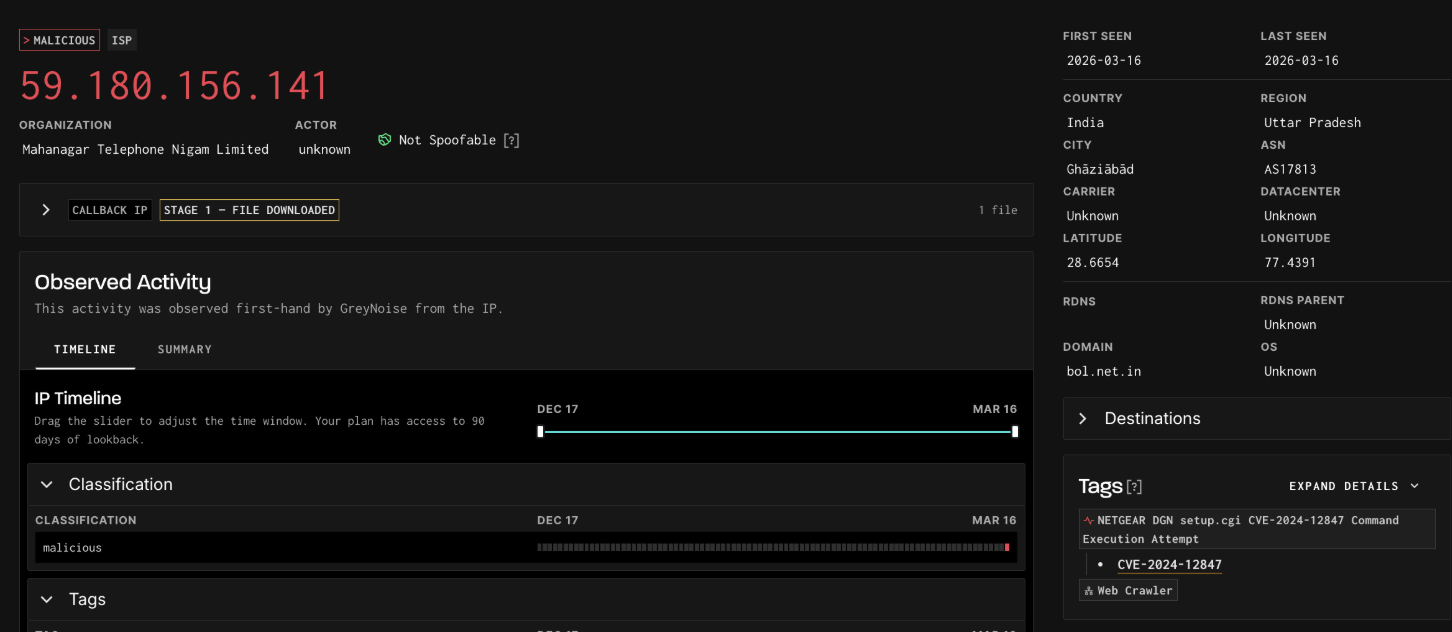
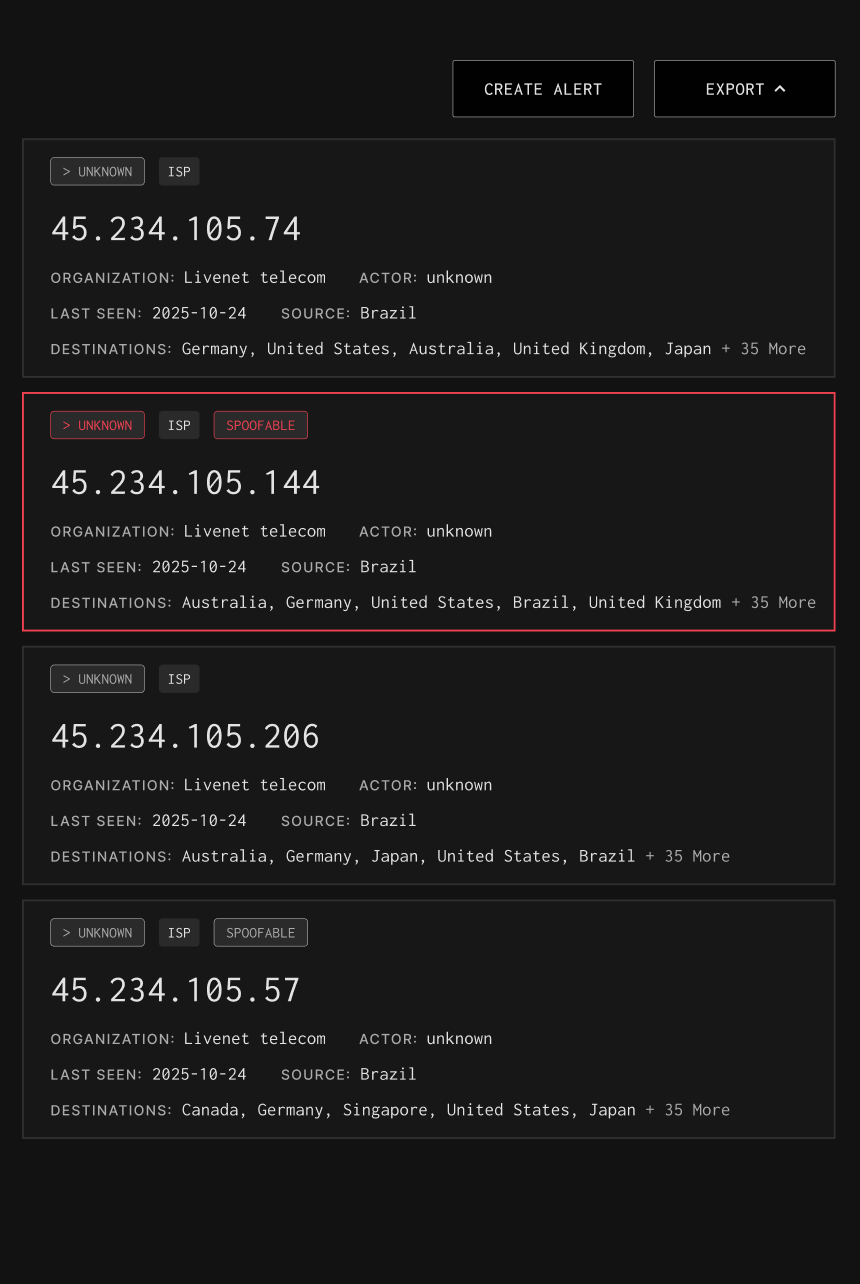
GreyNoise can help you quickly spot if you have a compromised host on your network edge.

How GreyNoise Helps You
Find Your Compromised Assets

Identify Abnormal Outbound Traffic

GreyNoise detects when your internal system contacts our global sensor network or is talking with a known malicious IP, both are strong indicators of compromise.

Faster Containment

Early visibility into compromised assets allows defenders to contain hosts, halting lateral movement.

Strengthen Incident Investigations

GreyNoise helps to establish a timeline of when a compromised device began scanning and exploitation.

Stop Outbound Connections to Malicious IPs

GreyNoise provides query-based, dynamic blocklists that prevent devices on your network from outbound communications with malicious IP addresses.

How it Works

Explore Available Fields

Filter by category & search available IP fields and their uses with GreyNoise.
Categories
Thank you! Your submission has been received!
Oops! Something went wrong while submitting the form.
NAME
Description & Use
VPN Service
Name of the VPN service associated with the IP. Useful for attribution and filtering.
IP Address Metadata
VPN
Flags if the IP belongs to a VPN provider. Suggests identity masking or evasive behavior.
IP Address Metadata
Updated At
Date/time when the tag was last updated.
Tag Information
Slug
Short identifier for the tag. Useful in queries and API lookups.
Tag Information
References
References (e.g., CVE pages, docs) supporting the tag. Provides analyst enrichment sources.
Tag Information
Recommended Block
Indicates whether IPs with this tag should be blocked. Supports automated policy decisions.
Tag Information
Name
Display name of the tag. Analyst-facing label for quick recognition.
Tag Information
Intention
Tag’s intent classification: benign, malicious, suspicious, or unknown. Adds risk context.
Tag Information
ID
Unique tag identifier.
Tag Information
CVEs
CVEs tied to the tag behavior. Critical for identifying exploitation of known vulnerabilities.
Tag Information
Description
Human-readable explanation of what the tag represents. Adds analyst context.
Tag Information
Created At
Date the tag was first added. Indicates when this behavior was first observed.
Tag Information
Tags Count
Count of IPs associated with specific tags. Helps identify common behaviors at scale.
Stats & Aggregates
Spoofable Count
Count of spoofable vs. non-spoofable IPs. Highlights volume of potentially fake traffic.
Stats & Aggregates
Source Country Count
Count of IPs originating from each country. Useful for geo-distribution of attacks.
Stats & Aggregates
Organization Count
Count of IPs linked to each organization. Useful for assessing exposure by provider.
Stats & Aggregates
Destination Countries
Countries where GreyNoise sensors saw this IP scanning. Indicates target geography.
IP Address Metadata
City
Registered city of the IP. Useful for geolocation context and pivoting.
IP Address Metadata
Category
High-level network type (e.g., hosting, ISP, enterprise).
IP Address Metadata
ASN
Autonomous System Number routing the IP. Helps group malicious infrastructure.
IP Address Metadata
Last Seen Timestamp
Exact date and time the IP was last observed. Enables timeline reconstruction in investigations.
Activity Timeline
Actor
Known or attributed owner/operator of the IP (e.g., research org, ISP, hosting provider). Useful for attribution.
Identity & Ownership
Classification
GreyNoise’s judgment of the IP’s intent: benign, malicious, suspicious, or unknown. Most useful filter for triage.
Classification
Last Seen
Last date the IP was observed by GreyNoise sensors. Indicates recency of activity.
Activity Timeline
IP
The observed IP address itself. Primary entity to investigate or correlate across alerts.
Identity & Ownership
Bot
Flags whether the IP is part of known botnet activity. Helps detect automated scanning or malware distribution.
Classification

Don't become a botnet.