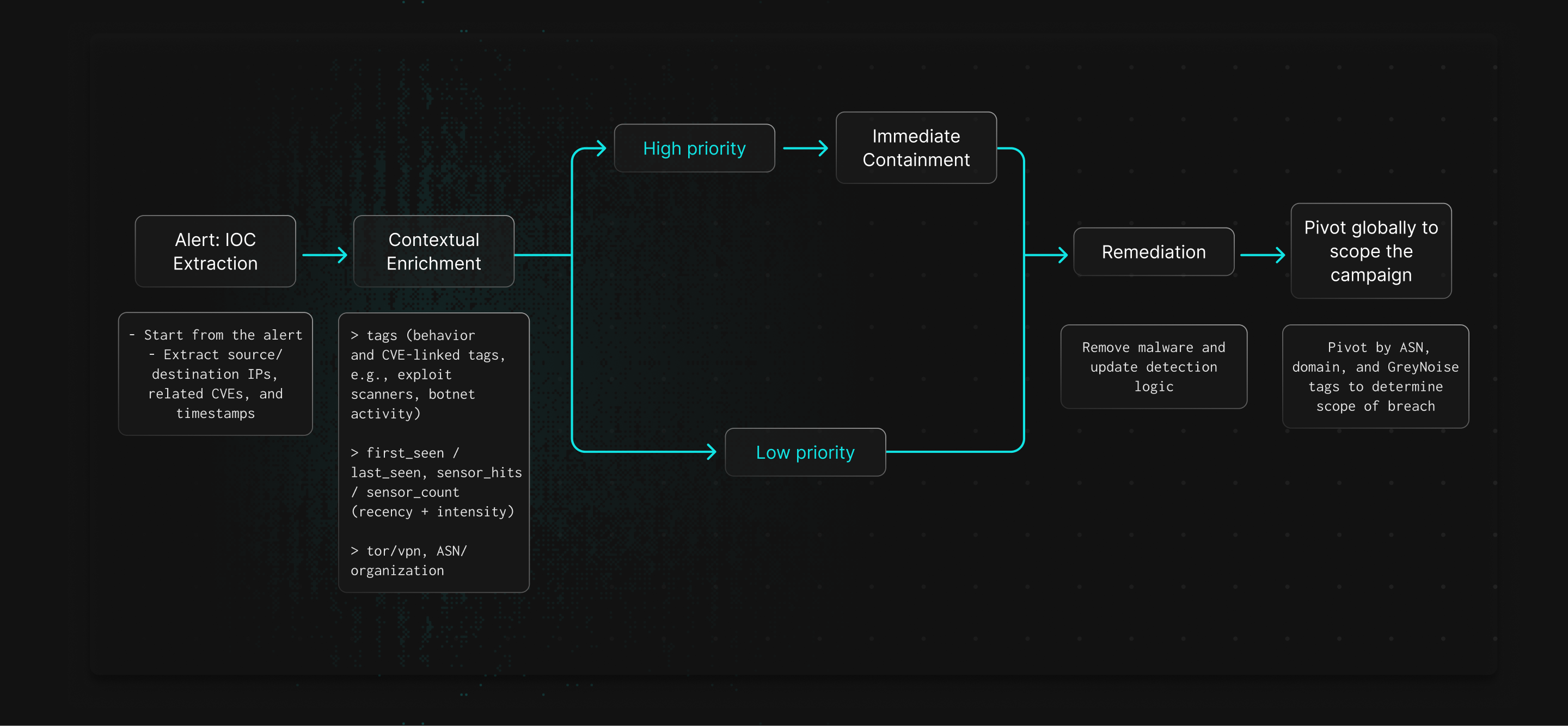
Speed Up
Incident Investigations
Accelerate detection and response times with GreyNoise threat context
Overview
GreyNoise accelerates investigations by adding context on IPs and CVEs seen in mass scanning and exploitation campaigns. This enrichment speeds triage, reduces manual work, and helps SOC teams more effectively investigate timelines and the scope of incidents.
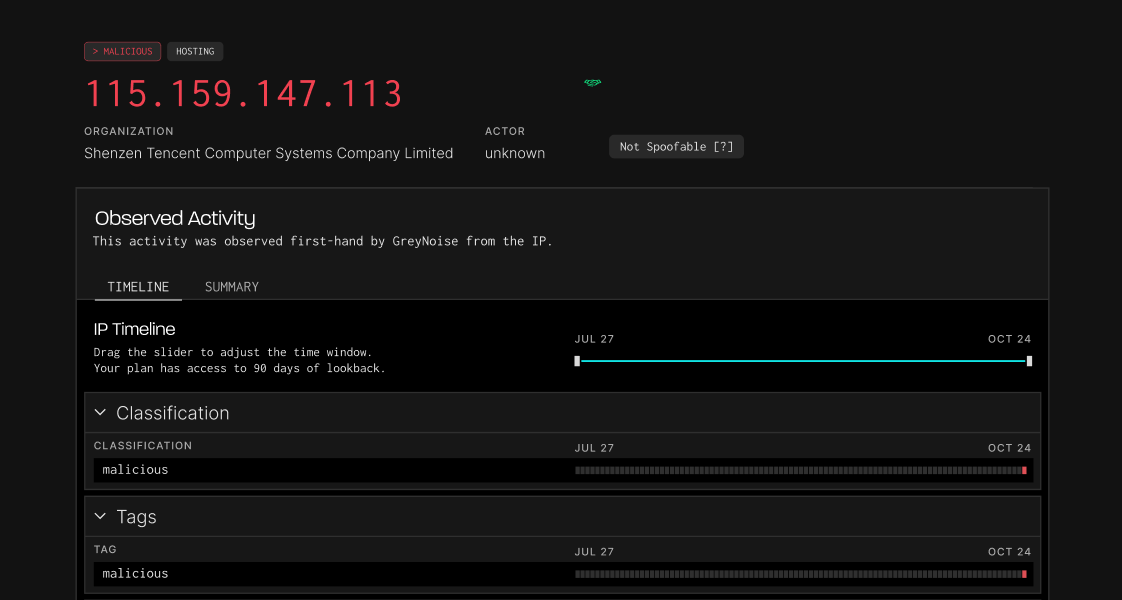

How GreyNoise Speeds Up Investigations

Enriched Threat Context
GreyNoise shows whether an IP is scanning broadly or targeting specific systems, helping analysts gauge threat levels.
Identify Exploitation Attempts
CVE tags reveal which vulnerabilities are being exploited and which assets are likely targeted.
Map Attack Infrastructure
GreyNoise links IPs, ASNs, and behaviors so analysts can pivot and see the broader campaign.
Strengthen Containment Decisions
Intelligence on attacker infrastructure helps teams decide when to block, monitor, or expand containment.
Speed Up Timeline Construction
Data on first seen, last seen, and behavior give provides evidence for accurate incident timelines.
Better Documentation and Reporting
Enriched incident reports clarify what happened and why it matters.
How it Works